Btv9 App – The Complete Guide to Mobile Casino on Android & iOS
Enjoy btv9 casino games and Sports Betting anytime, anywhere. From Android APK download to iOS installation — follow the full step-by-step guide.

Overview
What Is the btv9 App and Why Use It on Mobile
Smartphones are in everyone's hands these days. The era of sitting at a desktop to play is long gone — people now handle most things on mobile, and online casinos are no exception. With the btv9 app, you get nearly all the features of the desktop site right on your phone — casino games, Sports Betting, live dealer tables, account management, and deposits and withdrawals.
There are two main ways to use the btv9 app. Android users can download the APK file directly from the btv9 site and install it. iPhone and iPad users can open the btv9 site in Safari and add a shortcut to their home screen for an app-like experience. In both cases, game quality, layout scaling to screen resolution, and touch controls are fully optimized.
One of the biggest advantages of playing on mobile is flexibility. Whether you're on a break at the office, commuting, or relaxing on the sofa at home — you can stay connected to btv9 anywhere. Just keep an eye on your data usage, especially when playing live streaming games.
This page covers the btv9 app download and installation steps, Android vs. iOS differences, key app features, and solutions to common issues — all in detail.
At a Glance
Btv9 App Key Details
| Category | Information |
|---|---|
| Android Version | Android 6.0 or above |
| IOS Version | IOS 13 or above |
| File Type (Android) | APK (directly from the site) |
| IOS Method | PWA / Safari Add to Home Screen |
| Language Support | Bangla & English |
| Live Streaming | Available |
| Deposit / Withdrawal | Directly from the app |
| Push Notifications | Supported on Android |
The information above is a general guideline. To check btv9's latest system requirements, btv9 Casino View page.
Download & Installation
Install the btv9 App on Android & iOS
Follow the instructions below based on your device.
- Visit the btv9 site and look for the Android APK download link.
- Before downloading, go to Settings → Security → enable "Unknown Sources" or "Install Unknown Apps".
- Once the APK file has downloaded, tap the notification in the notification bar to begin installation.
- Tap the "Install" button and wait for the installation to complete.
- Once installation is complete, you'll find the btv9 icon on your home screen or in the App Drawer.
- Open the app and btv9 Login or create a new account.
- Open Safari on your iPhone or iPad (not Chrome or Firefox).
- Go to btv9.ws and wait for the site to fully load.
- Tap the Share button at the bottom of Safari (the icon with an upward arrow).
- Select "Add to Home Screen" from the menu.
- Confirm the name and tap "Add".
- A btv9 icon will appear on your home screen — use it just like a regular app.
APK Security Warning
Only download the APK file from btv9's official site. APKs from third-party sites or app stores may contain malware or be counterfeit apps. After downloading, verify the file name and size before installing.

Android Details
How to Enable Unknown Sources on Android
Installing a third-party APK on Android requires granting permission in Settings. The exact steps may vary slightly depending on your device brand.
Open Settings
Open the Settings app from your phone's home screen or App Drawer. The gear icon is also usually accessible from the Notification Shade.
Security or Biometrics and Security
On Samsung phones, look for "Biometrics and Security"; on Xiaomi, it's under "Privacy"; on most other devices, check "Security".
Find Install Unknown Apps
Android 8.0 and above has an "Install Unknown Apps" option. On older versions, "Unknown Sources" appears as a toggle.
Select Browser or File Manager
On Android 8+, you need to select which app is allowed to install from unknown sources. Choose Chrome or whichever browser you used to download the file, then enable "Allow from this source".
Return to the APK file
Tap the downloaded APK file from your notification bar, or find it in the Downloads folder via the Files or My Files app.
Confirm Install
Tap the "Install" button. If a permission request appears, read it carefully and grant the necessary permissions. Installation will complete within a few seconds.
Settings Path on Different Android Brands
Samsung Galaxy
Settings → Biometrics and Security → Install Unknown Apps → Chrome/Browser
Xiaomi / MIUI
Settings → Privacy → Special Permissions → Install Unknown Apps → Browser
Realme / OPPO
Settings → Additional Settings → Privacy → Special App Access → Install Unknown Apps
Vivo
Settings → Privacy and Safety → Install Apps from External Sources → Enable
Stock Android / Pixel
Settings → Apps → Special App Access → Install Unknown Apps → Chrome
Once installation is complete, turn Unknown Sources back off — it is good practice for keeping your phone secure.
App Features
What's Available on the btv9 Mobile App
All the key features of the desktop site are available on the mobile app.
Full Game Library
Blackjack, roulette, baccarat, slots — all games are available on mobile with a touch-optimized interface.
Live Dealer
Live Blackjack and Roulette in HD video stream. With a good internet connection, the experience is just as smooth on mobile.
Sports Betting
Place Sports Betting on cricket, football, and more — directly from your mobile.
Deposits & Withdrawals
Deposit and withdraw directly from the app. Deposit Guide for more details.
Account Management
Update your profile, change your password, check transaction history — all from your mobile.
Push Notifications
New updates and important announcements are delivered via push notifications on the Android app.
Dark & Light Mode
The app interface automatically adapts to match your device's system theme.
Biometric Login
Fast login via fingerprint or face unlock is available on supported devices.

Comparative Analysis
Btv9 App vs Mobile Browser
App or browser — not sure which to go with? This comparison will help you decide.
| Features | Btv9 App (Android APK) | IOS PWA (Safari) | Mobile Browser |
|---|---|---|---|
| Home Screen Icon | Available | Available | None |
| Push Notifications | Full | Limited | None |
| Loading Speed | Faster | Fast | Relatively Slower |
| Fingerprint Login | Supported | Face ID | Limited |
| Offline Content | Internet Required | Internet Required | Internet Required |
| Installation Required | APK Installation | Add to Home only | Open URL only |
| Full Game Access | Full | Full | Full |
| Storage Required | ~50MB | Minimum | Zero |
Recommendation: Android users will get the best experience by installing the APK. iPhone users simply need to use "Add to Home Screen" from Safari — no separate app installation required.
"The btv9 mobile app — casino games, Sports Betting, and live dealers, always at your fingertips."
Don't have a btv9 account? btv9 Registration to get started.
Troubleshooting
Common Issues When Installing & Using the btv9 App
These are the most common issues encountered when installing or using the app.
Tips for Use
Tips for Getting the Most Out of the btv9 Mobile App
A few practical tips to get the best experience from the app.
Use Wi-Fi
Wi-Fi is far better than mobile data for live dealer games or HD streaming — and it keeps your data costs down.
Avoid Public Wi-Fi
Avoid using public Wi-Fi when making deposits or withdrawals. Use your mobile data or a trusted home network instead.
Keep the App Updated
Update the app whenever a new APK becomes available on the btv9 site. Newer versions include security improvements and bug fixes.
Enable Biometric Login
On supported devices, enabling fingerprint or Face ID login lets you sign in quickly and securely.
Use DND Mode
Calls and notifications during gameplay can break your focus. Keep Do Not Disturb mode enabled.
Check Your Transaction History Regularly
Log in to the app and check your transaction history regularly. If you notice anything unusual, contact support immediately.
Mobile Gaming
What games can you play on the btv9 app
The btv9 app gives you access to the full game library, just like the desktop site — optimized specifically for touch screens.
Blackjack
Classic, Multi-Hand, and Live Blackjack. Blackjack Guide View.
Roulette
European and American Roulette. Roulette Section View.
Slots
Video slots and Megaways slots across a variety of themes.
Live Casino
Live Blackjack, Roulette, and Baccarat with real human dealers.
Sports Betting
Bet on cricket, football, tennis, and more.
High Roller
High-limit tables. High Roller Section View.
Recommended specs for the best mobile experience
| Feature | Recommended |
|---|---|
| Screen Size | 5.5 inches or larger |
| RAM | 3GB or more |
| Processor | Octa-core (mid-range or above) |
| Internet Speed | 5+ Mbps (10+ for live) |
| Battery | 4000 mAh or more |
| Storage Full | Minimum 100MB |
A mid-range phone is sufficient for slots and card games. Live dealer streaming requires a better processor and a fast internet connection.
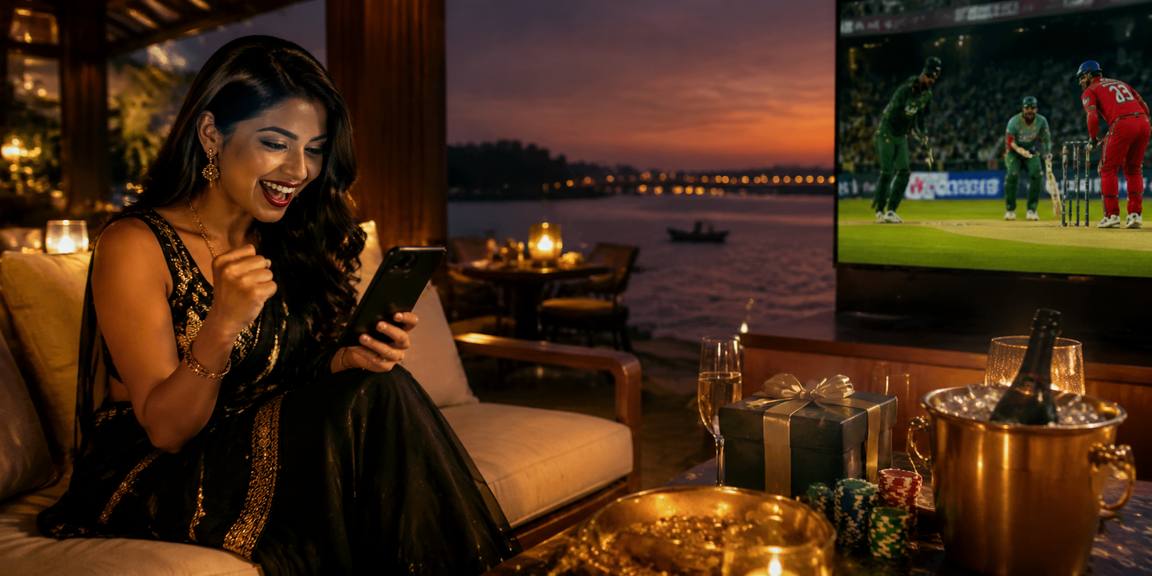
Security
Staying Safe on the btv9 Mobile App
Keep these security points in mind when using the casino on mobile.
Strong Password
Create a strong password using a mix of uppercase and lowercase letters, numbers, and symbols. Never share it with anyone.
Two-Step Verification
With 2FA enabled, an additional OTP is required at login. Keep it on to protect your account.
Watch Out for Phishing
Do not click btv9 download links received via SMS or WhatsApp without verifying them first. Go directly to btv9.ws instead.
Keep Your Screen Locked
Keep your phone's screen lock active. Log out after using the app, especially on a shared device.
User Reviews
Btv9 Mobile App User Experience
Some users have shared their mobile experience.
"Installing the btv9 APK on my Android was straightforward. I followed this page's guide step by step. I would have been stuck without the instructions on enabling Unknown Sources. Now I do most of my gaming on mobile."
"Used Add to Home Screen from Safari on my iPhone. Looks and works exactly like a native app. No APK download hassle. Live Blackjack runs smoothly on mobile too."
"I got an 'App not installed' error on my first attempt. After reading the troubleshooting guide on this page, I realized I hadn't uninstalled the old version. Once I did, it installed without a hitch. No issues since."
* These opinions reflect the personal experiences of the individuals concerned and are not a guarantee of results.
Frequently Asked Questions
Btv9 App FAQs
Answers to the most common questions from our users.
For Further Queries FAQ Page or contact btv9 Support.
Play Responsibly
Play responsibly, even on mobile
Having the mobile app always within reach can make it easy to play longer than intended. Set conscious limits for yourself.
Respect Time Limits
You can use your device's Screen Time settings to set a daily limit while using the mobile app.
Budget Control
Set a maximum spending limit before each session and stick to it.
Prohibited for Minors
If you share your mobile device with others, make sure minors cannot access the btv9 app.
Get Help
If you feel you're losing control of your gambling, seek professional help. Responsible Gaming View page.